You can get free, real-time subtitle translation for any video (local or online) with about 60-70% accuracy using Yukarinette-Connector (YC), VoiceMeeter Banana, and a browser translation plugin. There’s a 1-2 second delay, especially during fast dialogue, but it’s enough to follow the plot.
What You Need
- Yukarinette-Connector (YC) – Recognizes real-time subtitles from video audio.
Download: https://www.machanbazaar.com/download_ync - VoiceMeeter Banana – Virtual audio mixer to route PC audio to YC. (You can use Windows Stereo Mix instead, but then you can only use built-in speakers, not headphones.)
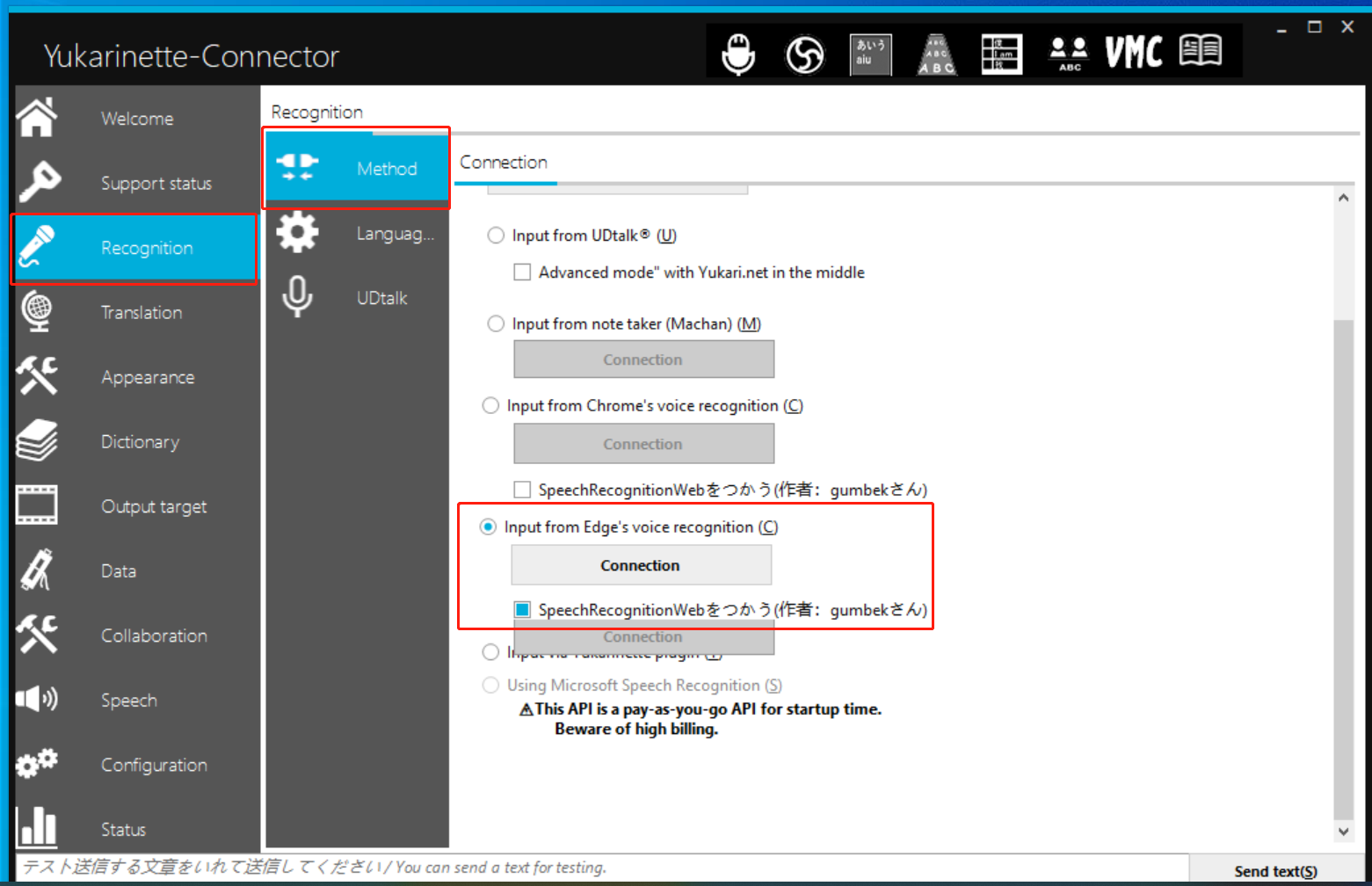
Download: VOICEMEETER by VB-AUDIO - Edge or Chrome browser – Edge is recommended; Chrome may not capture audio with a virtual sound card.
- Userscript (Tampermonkey) translation plugin – Any plugin that translates web pages. Two options:
Webpage Translation – Translate to Chinese (Google-based)
Caiyun Xiaoyi (Color Cloud Mini Translator)
Setup Steps
- Install Yukarinette-Connector and configure it as shown below. Select the source language (over 100 languages available).
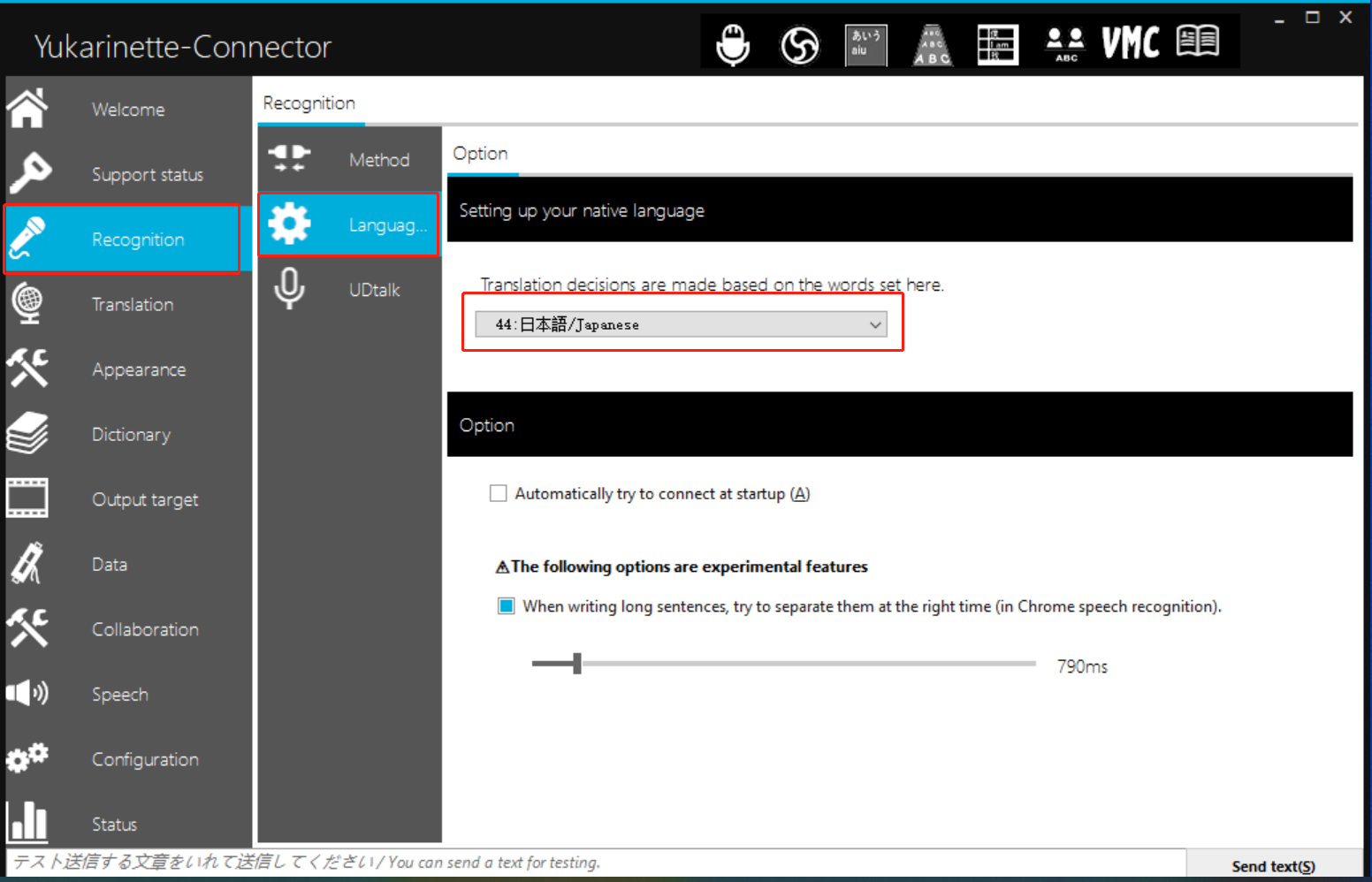
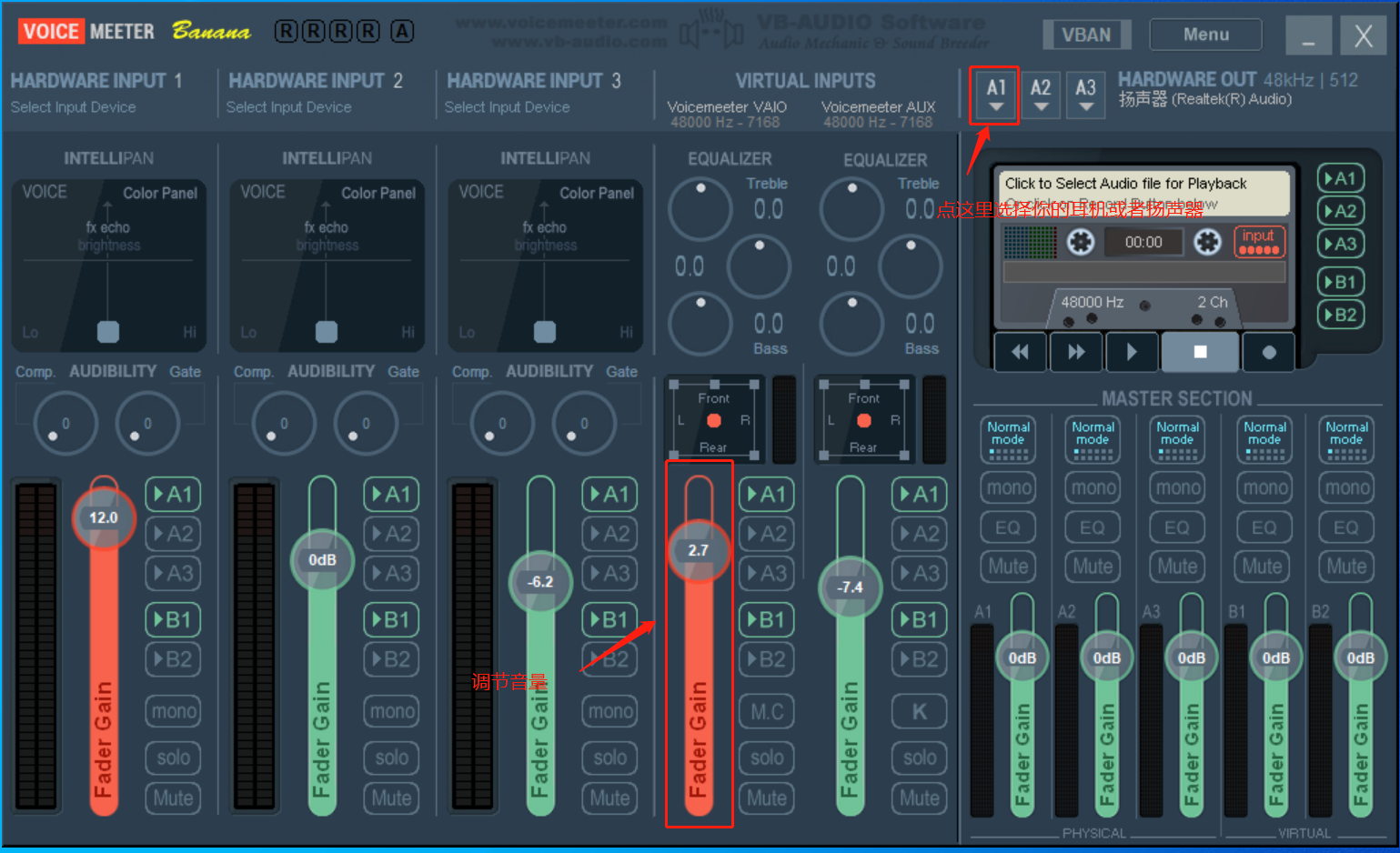
- Set up VoiceMeeter Banana: Click A1 and select your headphones or speakers.

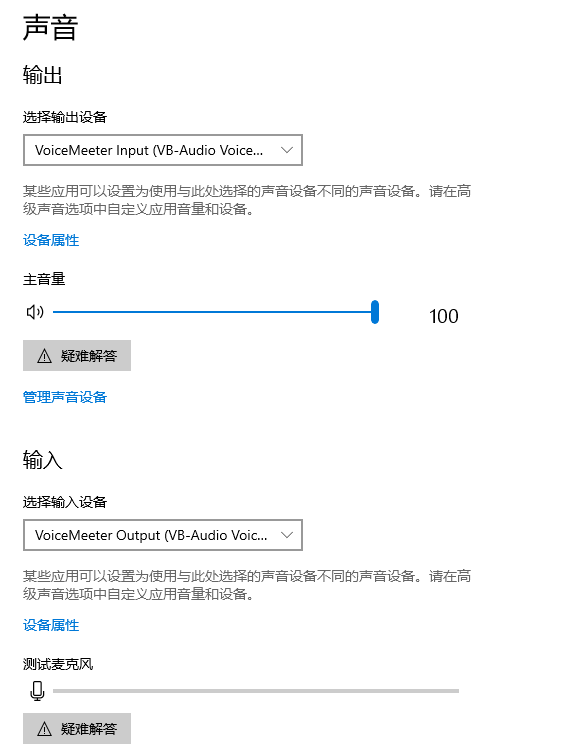
- System sound settings: Set both input and output to VoiceMeeter.

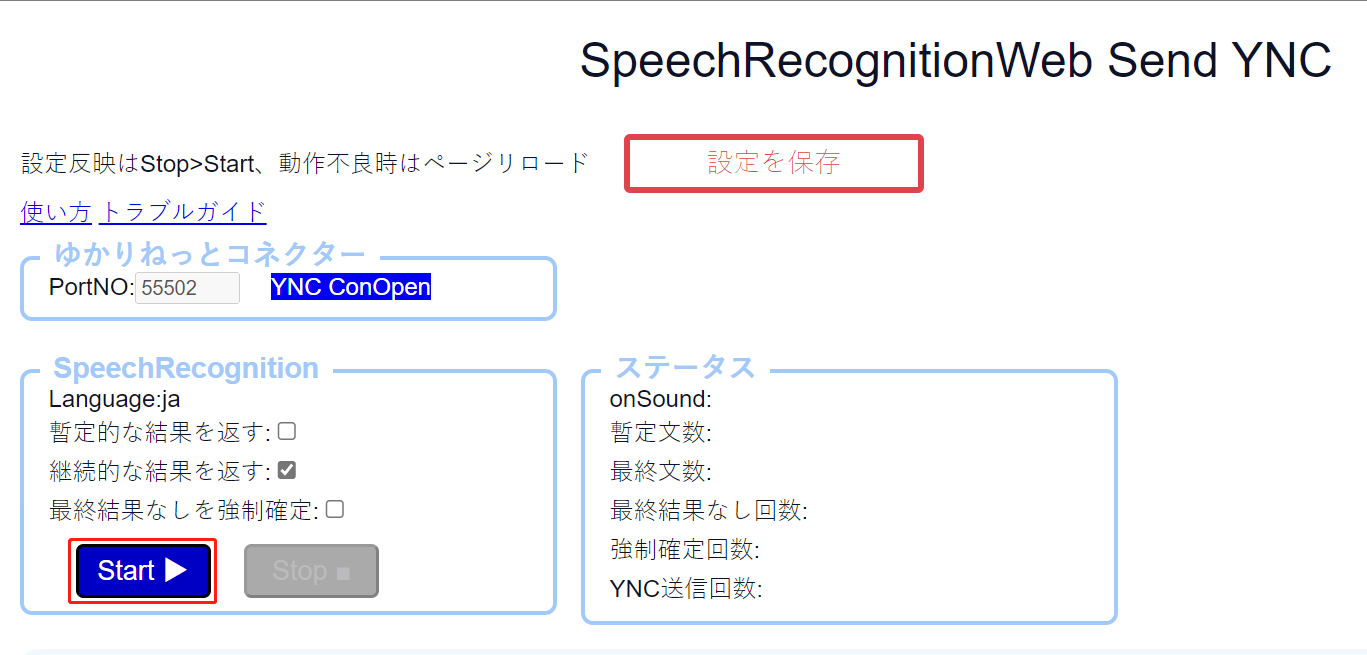
- In YC, click Connection.

- Click Start.

- Open any webpage translation plugin (Edge/Chrome built-in or the userscript).

- Play any audio/video (local or online) and see the translated subtitles appear.

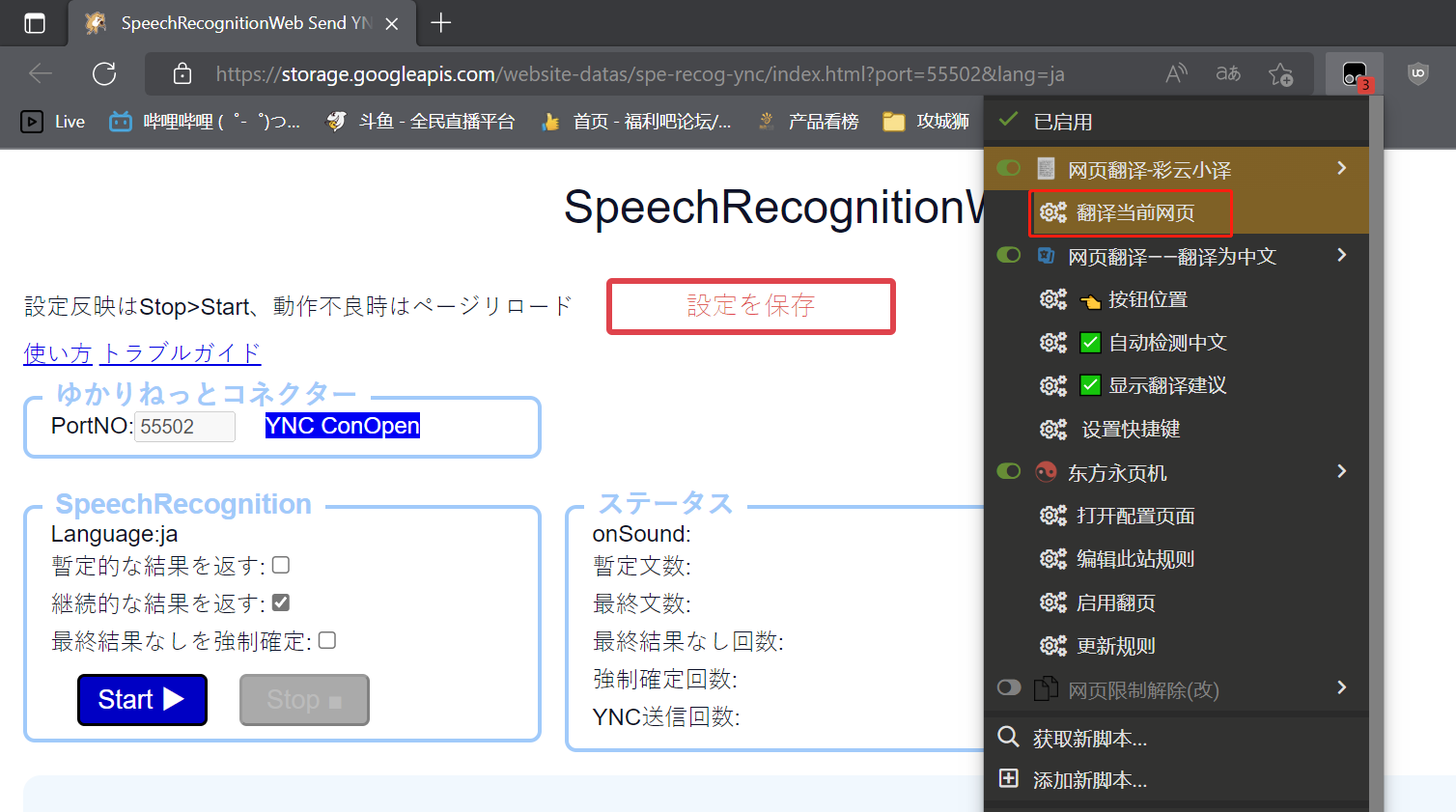

PS: YC also has built-in translation, but using a webpage translation plugin feels faster.