PrimoCache
PrimoCache is a caching software based on a two-level cache architecture: a level-1 cache using physical memory (RAM) and a level-2 cache using SSDs, flash drives, or other persistent storage. Level-1 cache is much faster but typically smaller, and its data is lost on power-off. Level-2 cache is slower but retains data after shutdown. You can configure PrimoCache to use only level-1, only level-2, or both.
Because level-2 cache is persistent, cached data survives a reboot. This means frequently used data can be read from the SSD cache instead of a slow HDD, significantly reducing boot times and speeding up application launches—especially if your OS or apps are installed on a mechanical hard drive.
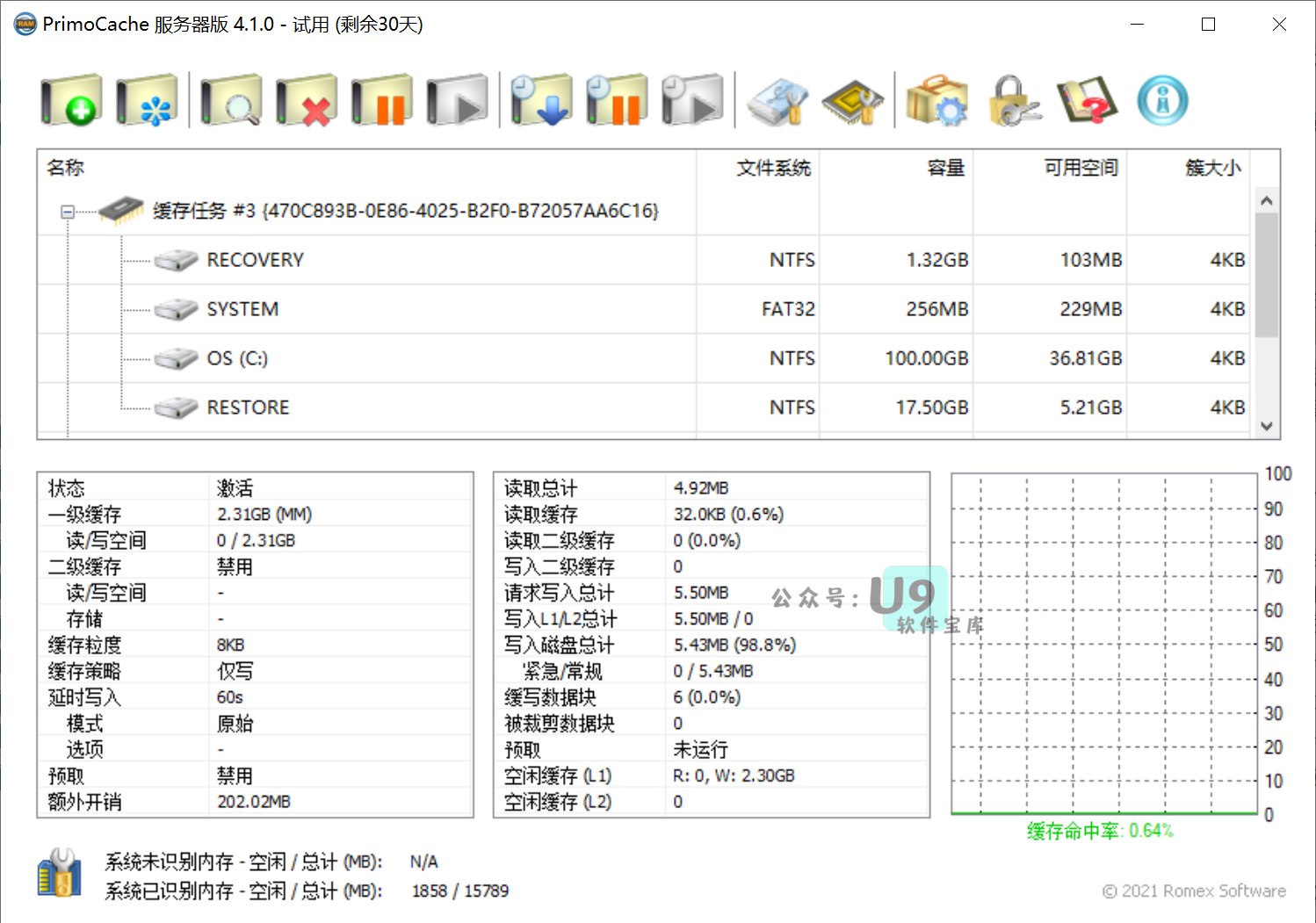
PrimoCache also supports write caching (deferred writing): it temporarily stores write requests in the cache and later flushes them to the physical disk. This makes write operations complete almost instantly, greatly improving write performance.
Additionally, PrimoCache includes an Unrecognized Memory Management Interface (UIMMI) that can detect and use system memory not recognized by Windows (e.g., on 32-bit systems where only 4GB of RAM is addressable). This lets you utilize all installed physical memory.
PrimoCache features an intelligent cache replacement algorithm that combines LFU and LRU with adaptive tuning. It automatically decides which cached data to discard when the cache is full, maximizing hit rates without requiring manual configuration.
You can create caches for any physical disk with flexible caching policies. Since PrimoCache works at the Windows driver level, no changes to your system or applications are needed—they automatically benefit from the cache.
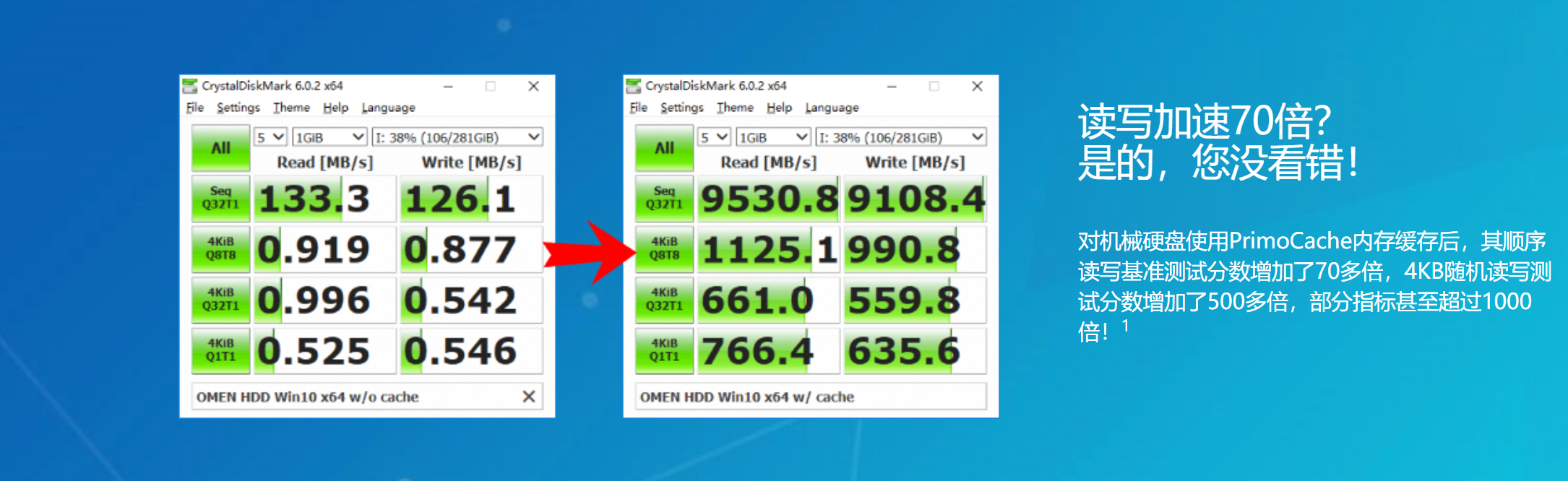
What Can PrimoCache Do?
PrimoCache is powerful and flexible, suitable for many scenarios. It solves read/write performance bottlenecks on PCs, workstations, and servers, improves boot times, application loading, gaming experience, and system responsiveness, and can even reduce SSD write wear to extend its lifespan.
Here are some common use cases—though not limited to these:
- You have Windows installed on an HDD and want SSD-like performance without reinstalling anything.
- You need high-performance, large-capacity storage but can’t afford expensive large SSDs—you want a cost-effective solution.
- You frequently download large files from the internet and want to protect your HDD from excessive writes.
- You run a 32-bit Windows with 4GB or more RAM and want to use the memory Windows hides.
- Your games or apps write many temporary files during operation, causing lag and poor experience.
- Your server can’t handle high I/O loads and becomes slow or unresponsive.
- Your server uses traditional storage and you can’t change the infrastructure or migrate data, but need better performance.
Usage Instructions
1. Install the main program.
2. Run the reset patch corresponding to your system version and architecture (copy it to the PrimoCache installation directory). After that, the trial period will always show 30 days remaining—effectively unlimited.
3. It is recommended to enable deferred writing only for logical volumes that store temporary, unimportant, or regenerable data.