The infinite email trick mentioned in the title is not about registering unlimited accounts. Instead, it means you can have infinite sub-addresses or shadow email addresses under a single Gmail account.
Why This Is Useful
Having multiple email addresses is handy for things like:
- Registering multiple accounts on the same website easily.
- Taking advantage of referral bonuses — you know the drill.
1. Add a dot (.) anywhere in your username
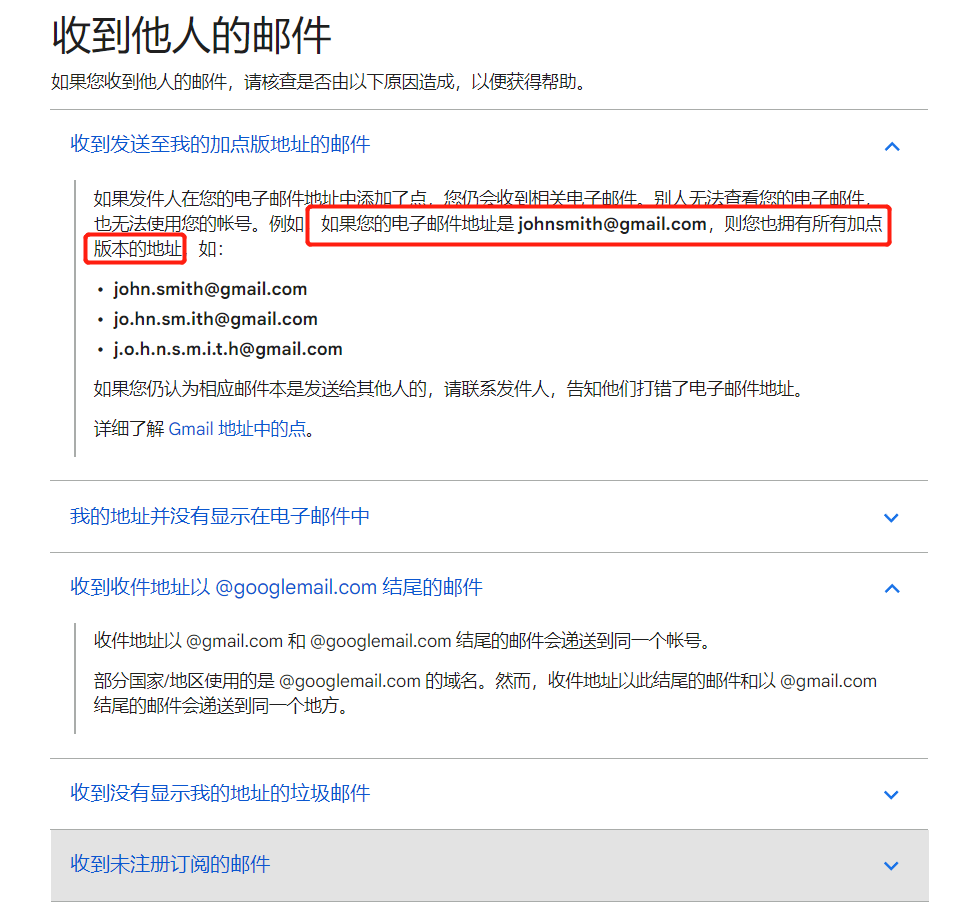
Example: abc.def@gmail.comGmail ignores dots in usernames, so all these are the same account:
abcdef
a.bcdef
ab.cdef
a.b.cdef
abc.d.efThis was originally designed for names like jack.jones@gmail.com vs jackjones@gmail.com — both go to the same person.
2. Add a plus (+) after your username
Example: abcdef+hi@gmail.comYou can use anything after the +, like:
+hi
+my
+baidu
etc.Note: Some websites don’t accept + in email addresses, so this method may not work everywhere.
3. Change the domain to googlemail.com
Example: abcdef@googlemail.comThis works because Gmail was once unable to use the Gmail trademark in some countries, so googlemail.com was used instead. (Now the trademark issues are resolved globally.)
4. Combine all three methods
Example: abc.def+hi@googlemail.com
5. Note: If you only need these for registration, just type the modified address when signing up — no need to change any Gmail settings. All emails will land in your main inbox. You can also receive Gmail via other email clients like QQ Mail, NetEase Mail Master, or the iOS Mail app.