If you often use plain text files (with the .txt extension) to write and save documents, you might have encountered a popup saying “Cannot open the file XXX, encoding Unicode (UTF-8) not applicable.” Here’s a quick solution for Mac users who can’t open TXT files.
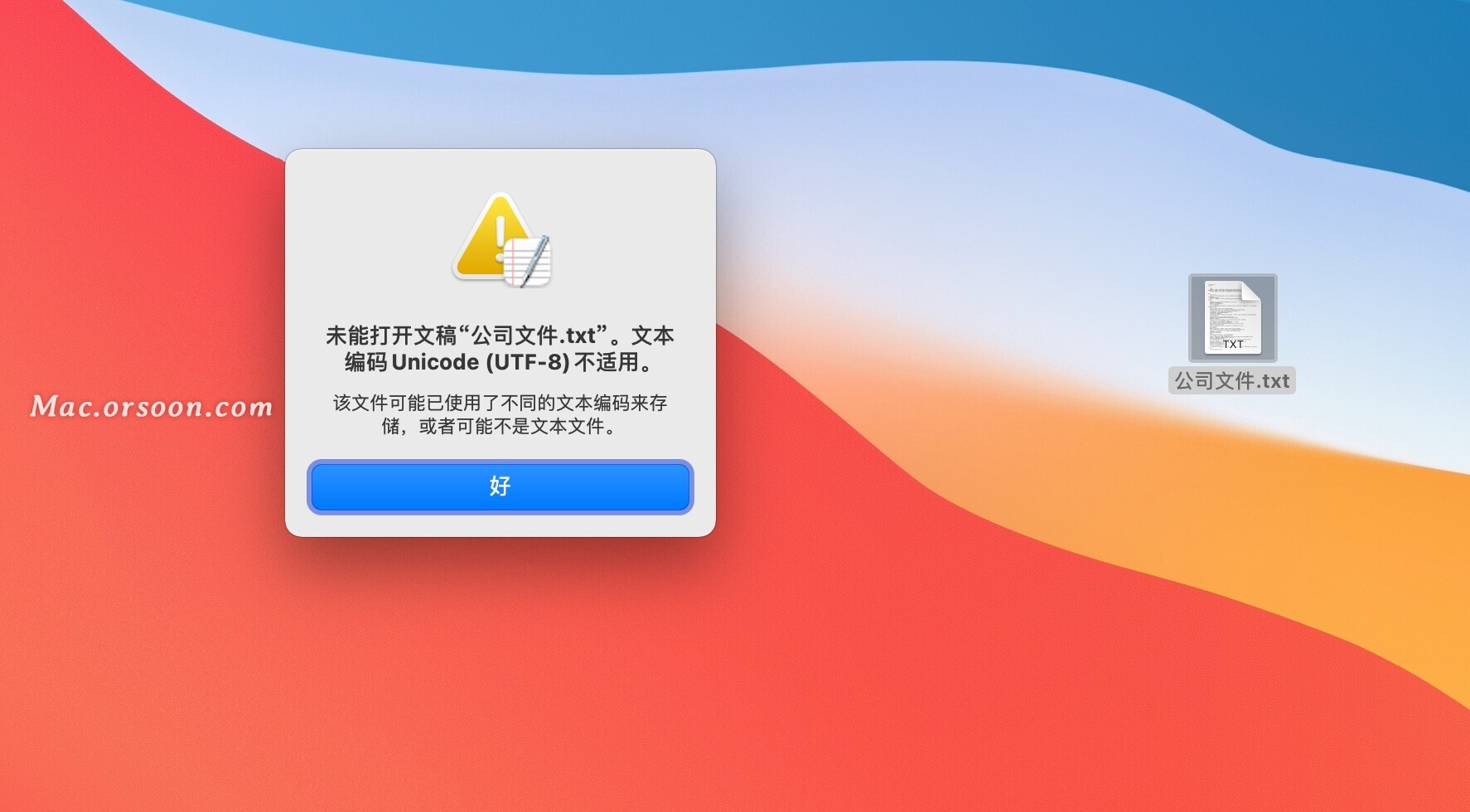
How to Fix Mac Not Opening TXT Files
1. Open TextEdit

2. Click TextEdit > Preferences… in the menu bar at the top left of your screen.
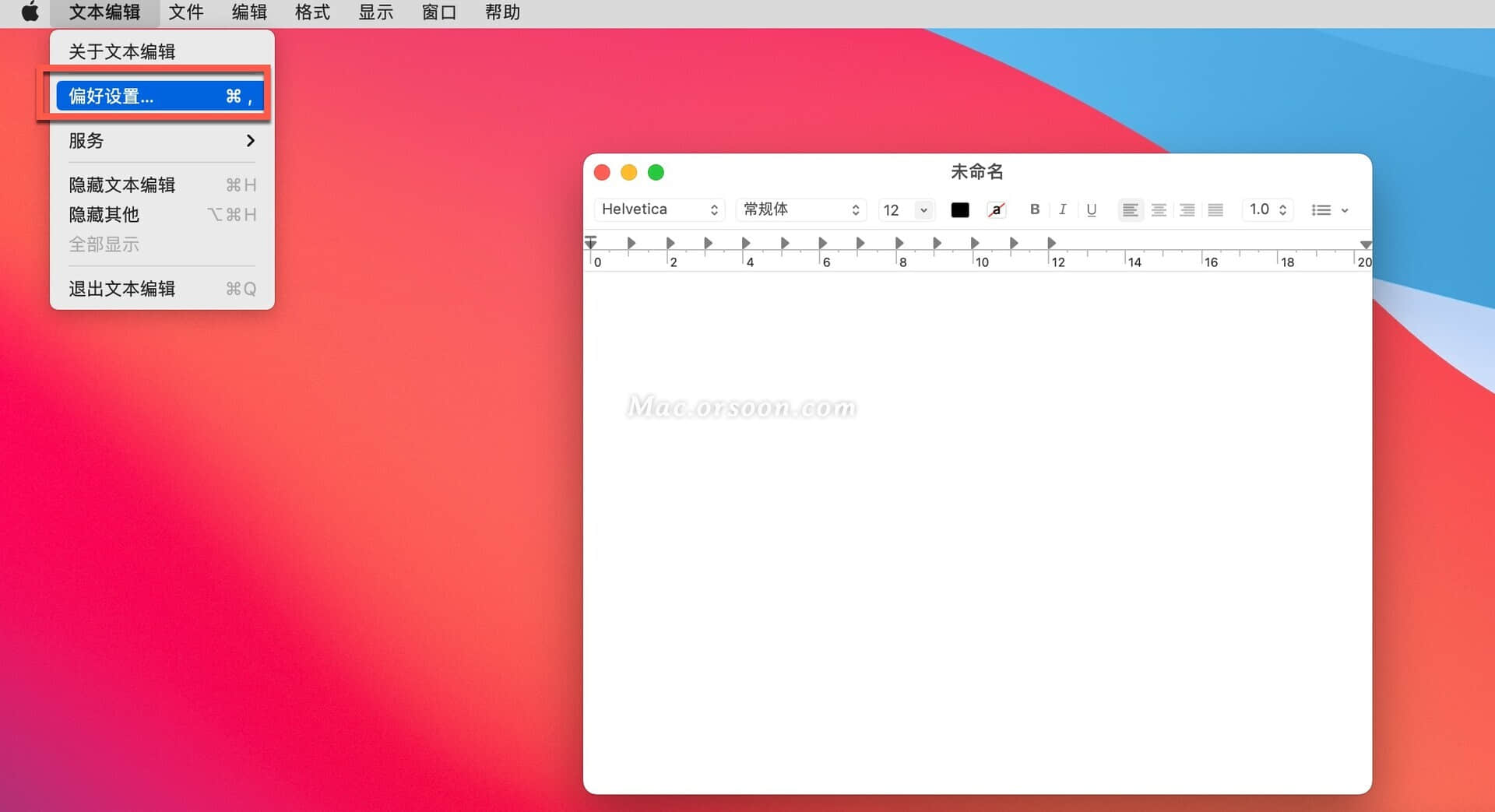
3. In the Preferences window, switch to the “Open and Save” tab.
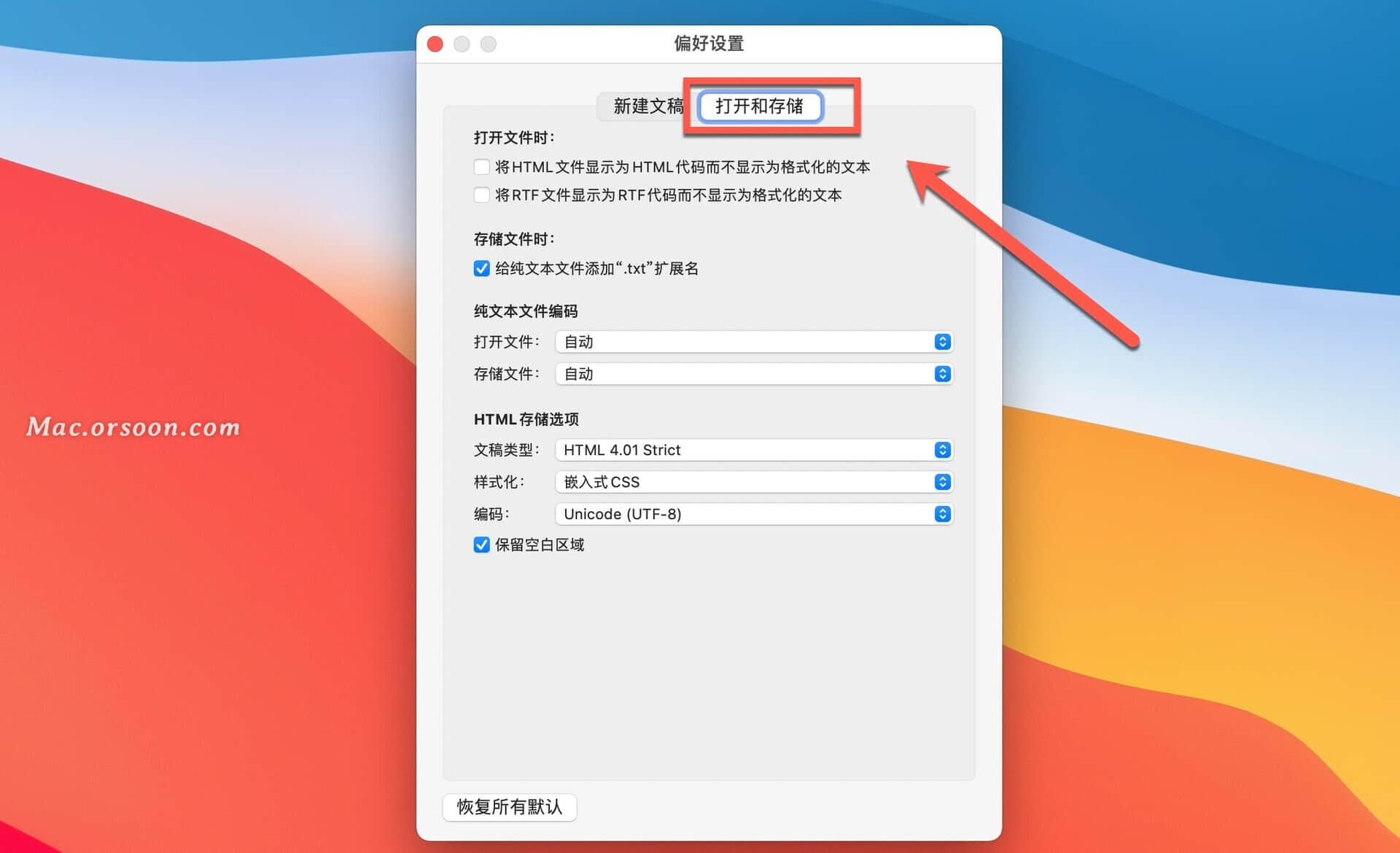
4. Under the “Plain Text File Encoding” section, set the “Opening Files” encoding to “Chinese (GB 18030)”.
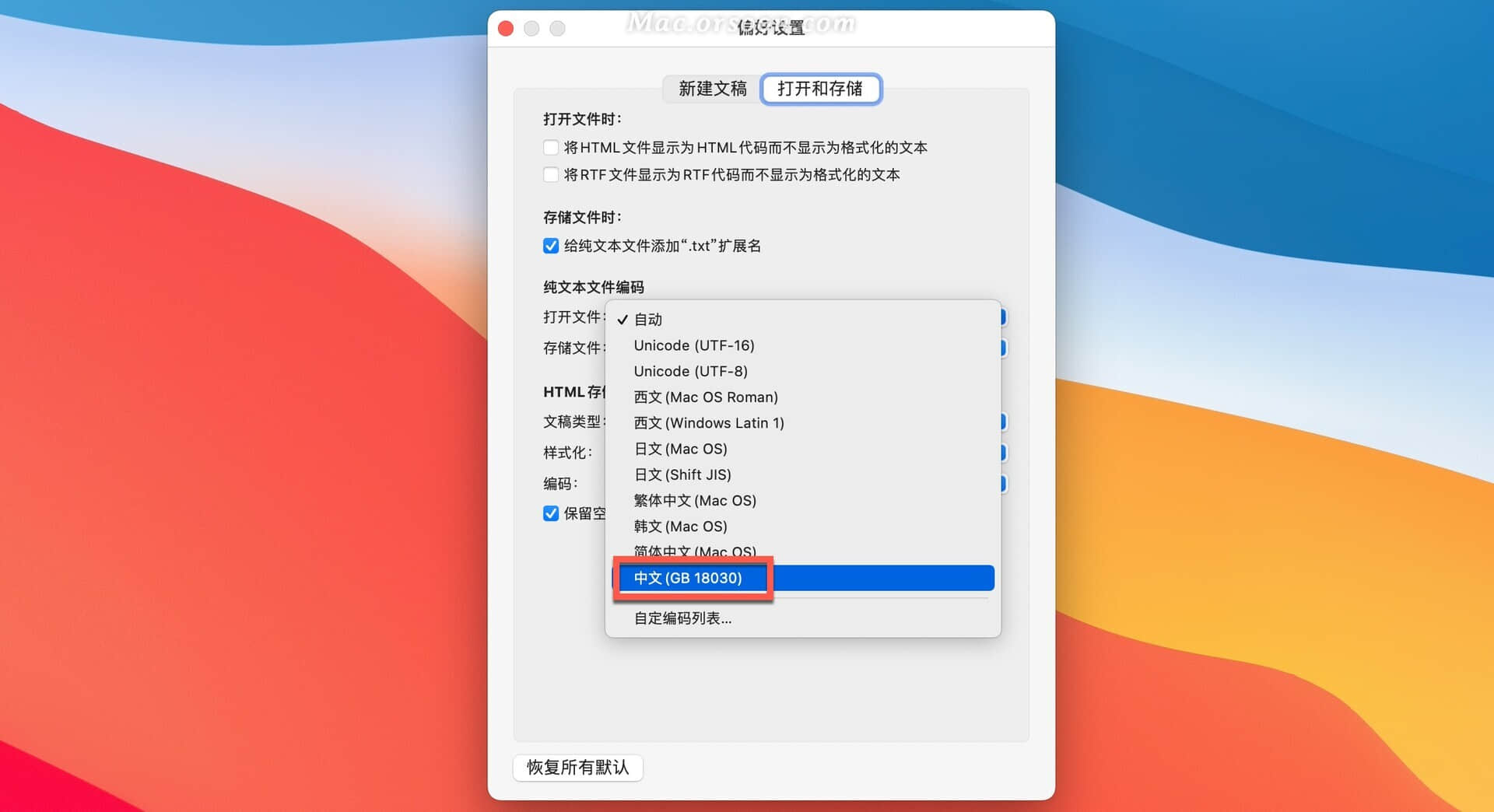
Don’t panic if you can’t open a TXT file on your Mac. Just follow the steps above and you’ll be able to view your documents again.
————————————————
Copyright notice: This article is an original work by CSDN blogger “Macdidiwei” and is licensed under CC 4.0 BY-SA. Please include the original source link and this notice when reposting.
Original link: https://blog.csdn.net/Macdidiwei/article/details/113624544